Using the API
Now that you’ve deployed the model, you can test its API endpoints.
Procedure
-
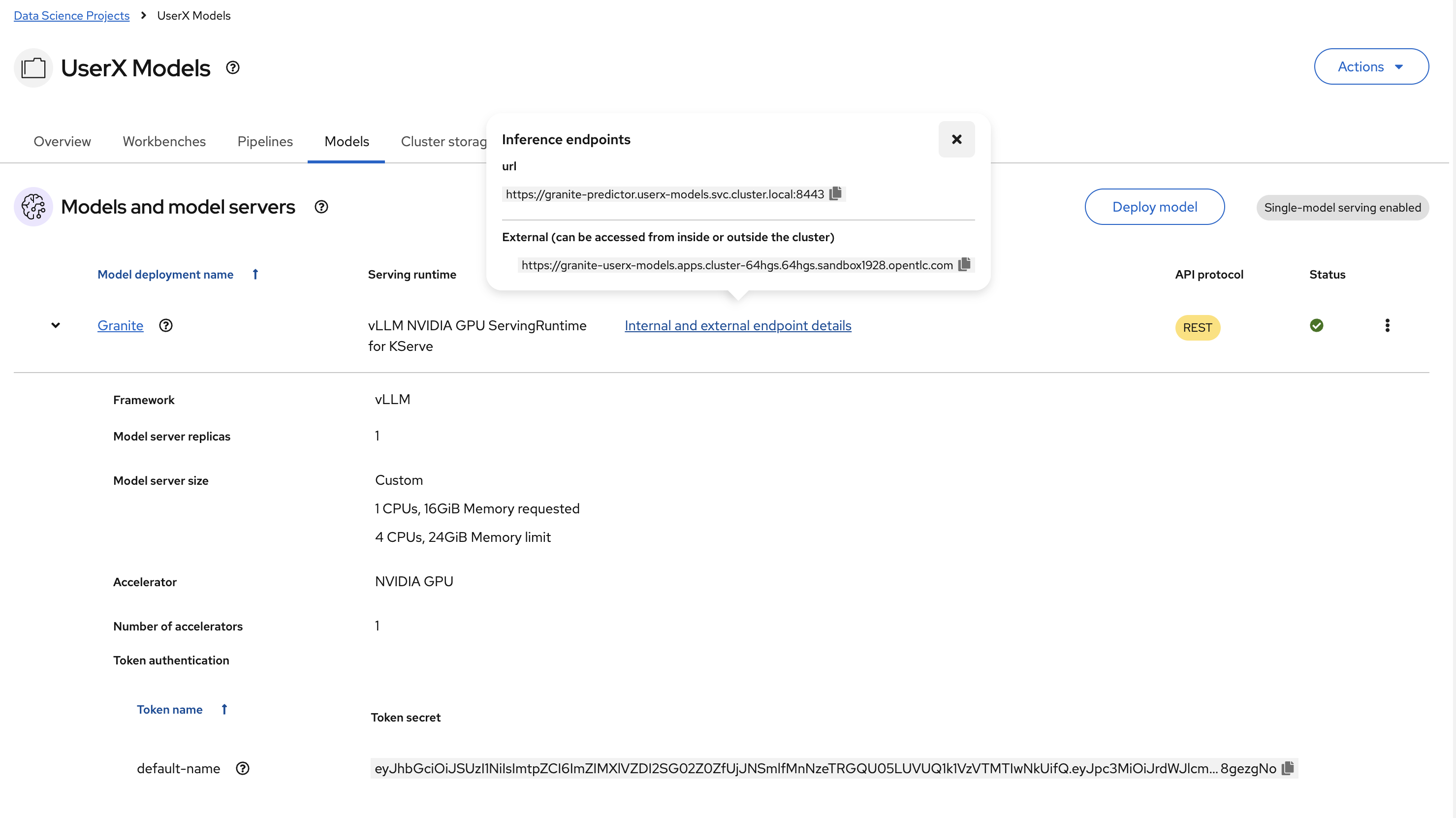
In the OpenShift AI dashboard, navigate to the project details page and click the Models tab.
-
Click on the model information and take note of the Inference endpoint URL and the Token secret value.
-
Return to the JupyterLab environment and try out your new endpoint.
Follow the directions in
1_openai_requests.ipynbto try an OpenAI API call.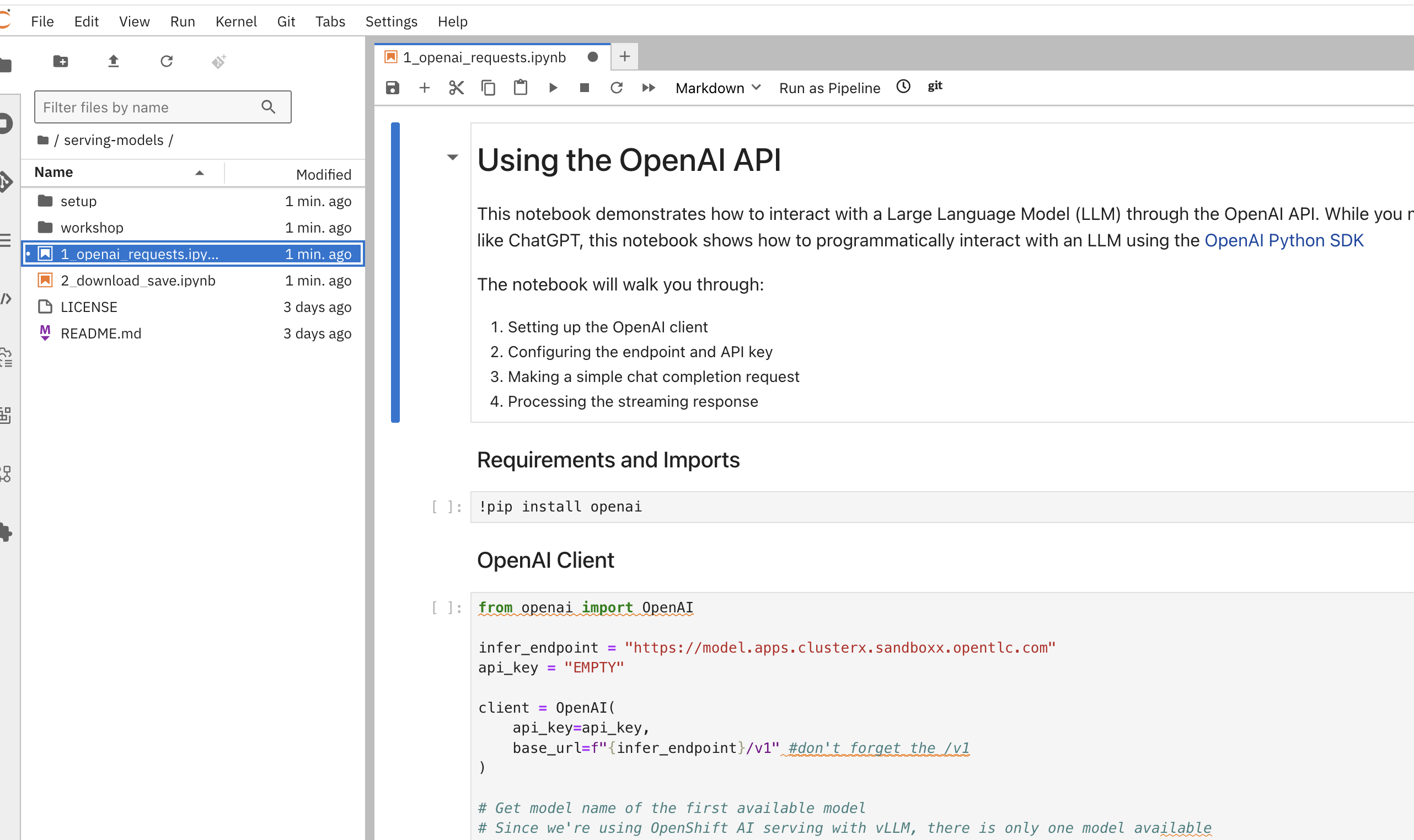
Next step